View Simulink models
in the browser.
SimNapse is an online platform for opening, navigating, reviewing, and sharing
Simulink models without depending on a heavy local installation.
Today: instant visualization.
Coming soon: simulation, code generation, and export.
What SimNapse does today
View, build, and automate Simulink models in the browser — with AI assistance, zero installation, and no MATLAB license required.
Upload & Open Models
Import .slx, .mdl, or .snp files and open them in the browser within seconds. No conversion, no plugins, no waiting.
AI-Powered Editing
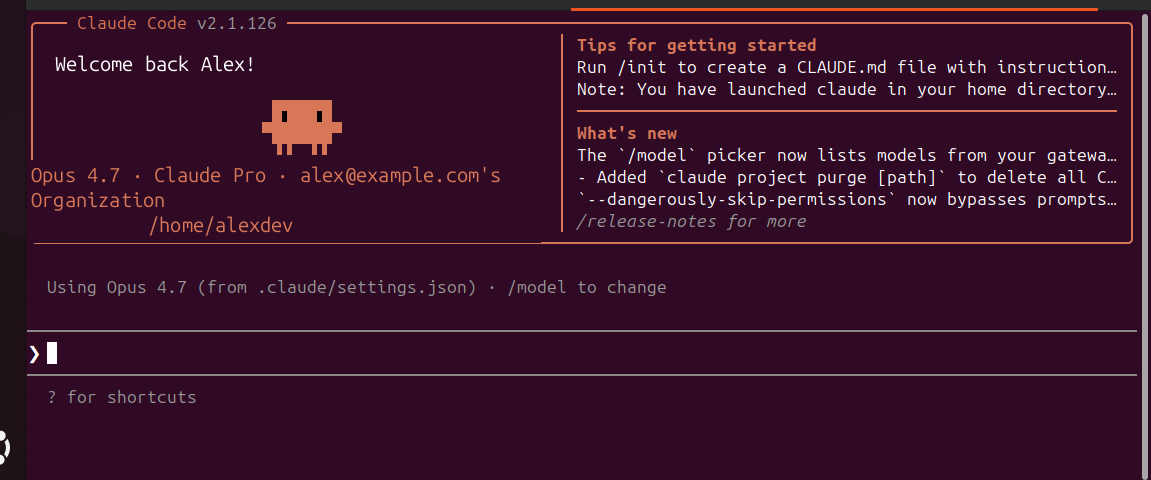
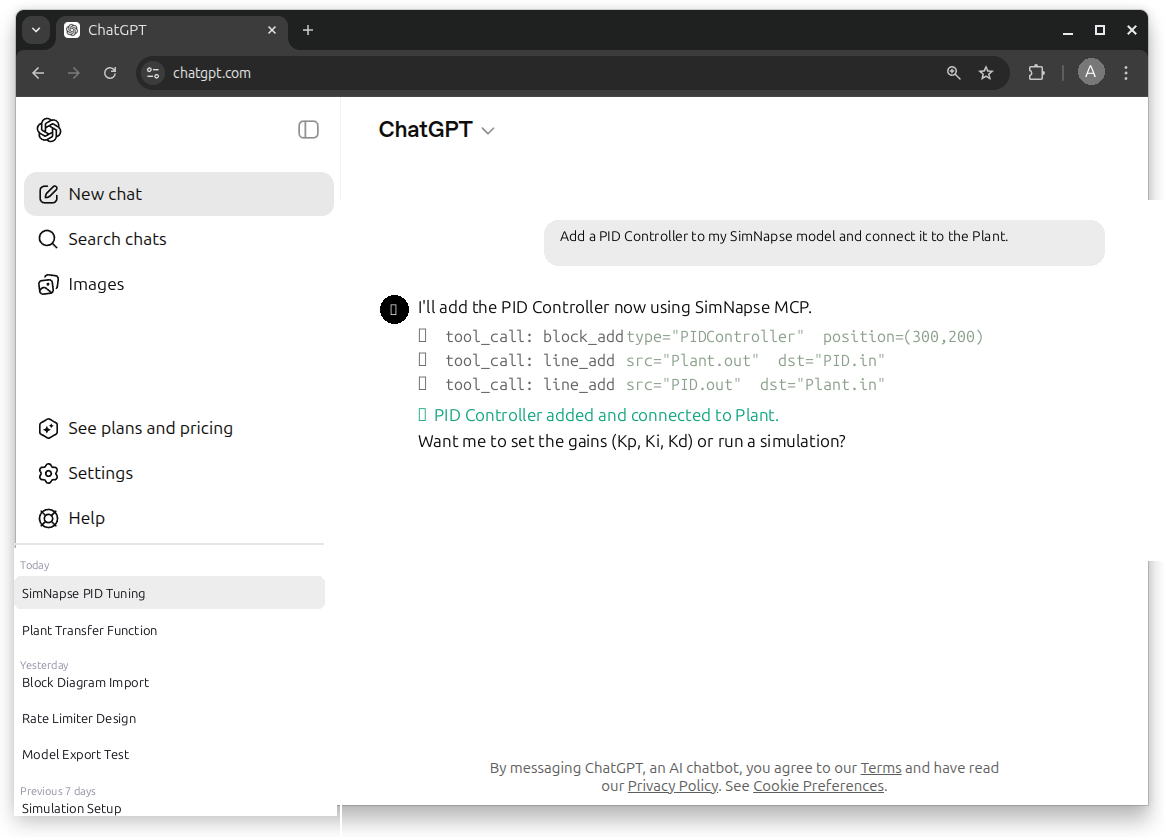
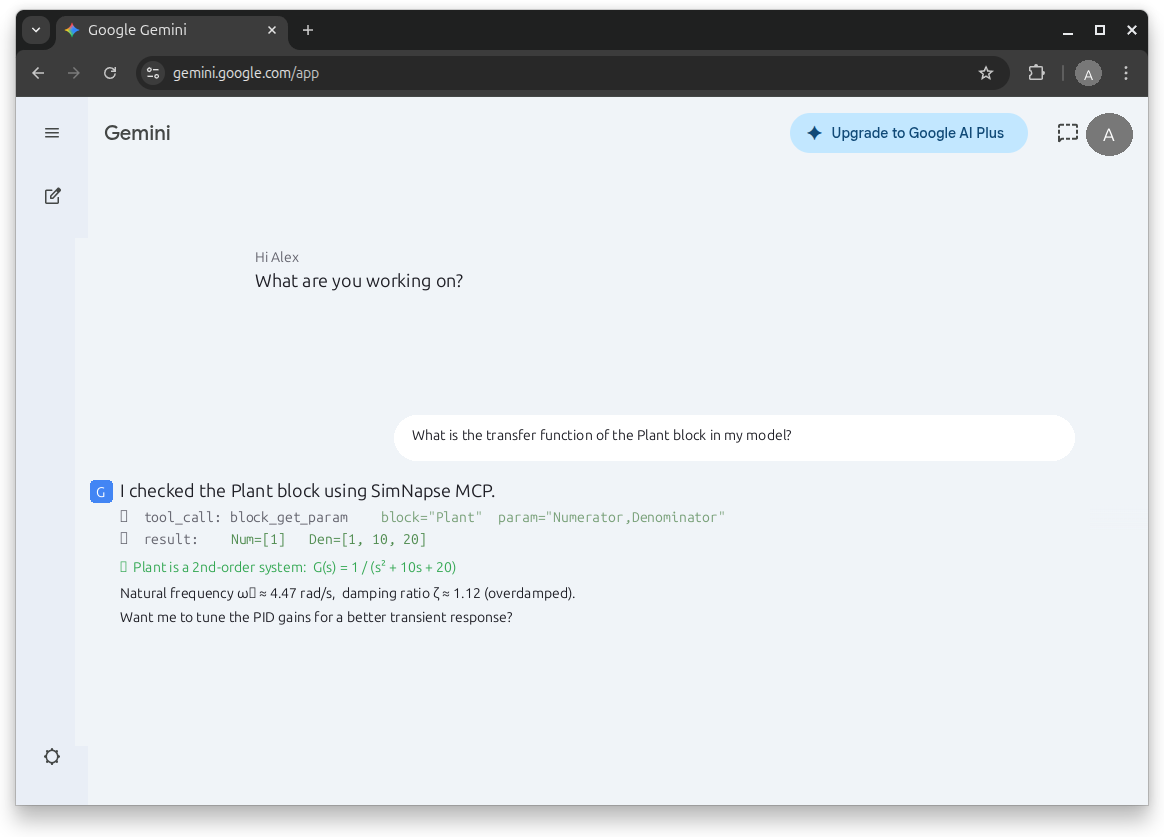
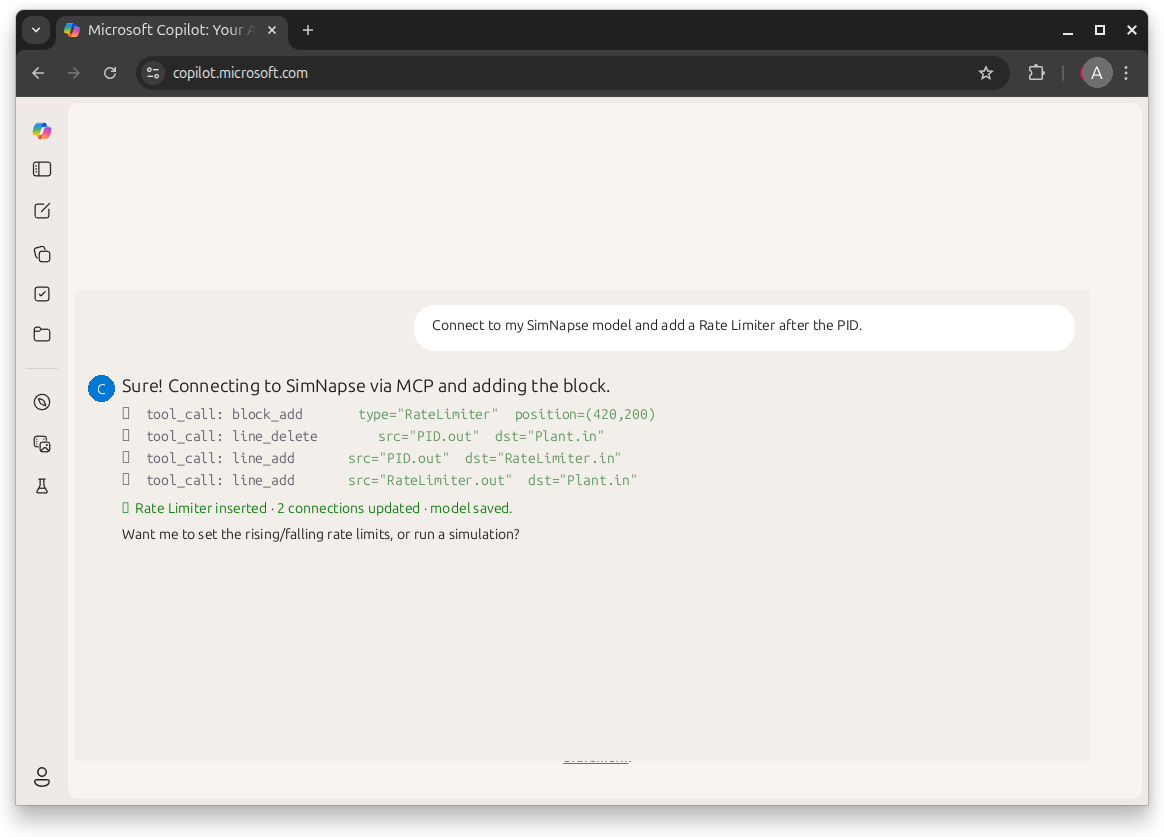
Build and modify models by describing what you want to Claude, GPT-4, or any MCP-compatible AI assistant. The AI handles blocks, connections, and parameters for you.
Model Builder
Create new models from scratch directly in the browser. Add blocks, draw signal connections, set parameters — no Simulink license needed.
Navigate Block Diagrams
Pan, zoom, and explore block diagrams with a fluid, high-performance canvas. Navigate complex models at any scale.
Inspect Blocks & Parameters
Click any block to view its type, parameters, mask settings, and all connected signals in a structured properties panel.
Drill Into Subsystems
Navigate through nested subsystems and sub-models. Maintain context with breadcrumb navigation and a full model tree.
Secure Model Sharing
Share models with teammates, reviewers, clients, or students via permission-controlled links. No account required to view shared models.
Project Organization
Group models into folders and projects. Keep your library structured, searchable, and accessible from any device.
Zero Installation Required
Any team member — manager, reviewer, student, or client — can open a model in their browser. No license, no installer, no waiting.
Review & Documentation
Optimized for technical review, model auditing, design documentation, and education. Navigate, screenshot, and share model structures with precision.
What's coming next
SimNapse starts as a viewer and evolves into a full simulation and engineering platform. No fixed dates — just a transparent roadmap driven by your feedback.
Browser-Based Simulation
Run dynamic simulations directly in the browser — no server dependency for standard models. Real-time plot output and signal inspection.
⏳ Coming SoonCode Generation
Generate C, C++, Python, Rust, Julia or Fortran from your models. Accelerate the path from model to embedded or scientific implementation.
⏳ Coming SoonExport to Simulink
Round-trip interoperability: export models back to Simulink-compatible formats. Work in both environments without friction.
⏳ Coming SoonDesktop Applications
Native apps for Windows, Linux, and macOS. Offline access, deeper system integration, and local workflow support.
📅 PlannedModel Diff & Comparison
Compare two model versions side by side, with highlighted structural and parameter changes. Essential for code reviews and audits.
📅 PlannedComments & Design Reviews
Annotate blocks, leave threaded comments, and run structured design review processes — directly on the model canvas.
📅 PlannedVersion History
Full change history for every model. Restore any previous version, track who changed what, and understand model evolution over time.
📅 PlannedAPI & CI/CD Integration
Automate model validation and testing in your CI/CD pipeline. Trigger checks on every commit. Integrate with GitHub, GitLab, and Jenkins.
📅 PlannedTeam Workspaces
Shared environments for engineering teams. User roles, access control, shared model libraries, and organized project hierarchies.
📅 PlannedBuilt for how engineers work
Model-based design is powerful. Sharing those models with the right people shouldn't require installing gigabytes of software on every machine.
Cloud-first
Access any model from any device with a browser. No licenses to manage per machine. No IT ticket required to give a reviewer access.
Instant sharing
Send a link, not a file. Anyone with the link can open the model immediately — no need to have a full toolchain installed.
Lower barrier to entry
Free tier for students, researchers, and individual engineers. Evaluation doesn't require a license request or procurement approval.
Built for review
Not just a model runner — an inspection tool. Designed for navigating, auditing, documenting, and discussing model structure.
Precision rendering
Fast, high-fidelity block diagram rendering. Not a rasterized screenshot — a live, navigable, zoomable representation of your model.
Growing into simulation
The viewer is the foundation. Simulation, code generation, export, and team workflows are all on the roadmap — building on what works.
Built for a modern model-based engineering workflow
SimNapse does not replace advanced simulation environments at launch. It solves a specific, underserved problem first: viewing, reviewing, and sharing block diagram models in a team context.
Web-native, collaboration-first
Designed from the ground up for sharing, reviewing, and discussing models without requiring every stakeholder to have a licensed desktop installation. Start immediately, scale incrementally.
- Open in any browser, any device
- No per-machine license required for viewing
- Shareable, permission-controlled links
- Free tier available for individuals and students
- Viewer available now; simulation on the roadmap
- Interoperable with Simulink file formats
Powerful, but installation-heavy
Established tools offer comprehensive simulation and code generation capabilities — but they are typically installed locally, licensed per seat, and not designed for lightweight sharing or browser-based access.
- Requires full desktop installation to view models
- Per-seat or floating license for every user
- Sharing a model requires recipients to install the tool
- High entry cost for students or occasional reviewers
- Comprehensive but heavier than needed for review-only use
- Industry-standard for full simulation workflows
SimNapse is not a replacement for full simulation environments. It is a complementary tool for model access, review, and collaboration — with simulation capabilities on the roadmap.
Model access for everyone
on your team.
Give reviewers, managers, clients, students, and collaborators access to model structure without requiring a full engineering workstation for every person in the room.
ECU_Control_v3.slx
PID_Plant_Final.slx
Overview_Model.slx via link
No toolbox installation required.
Make model-based design
easier to teach.
SimNapse eliminates the installation bottleneck in engineering education. Students open models in the browser on day one — no IT setup, no license management, no compatibility issues.
Your AI assistant,
inside your models
Connect Claude, GPT-4, or any MCP-compatible AI to SimNapse and control your engineering models through natural language. Describe what you want — the AI does the rest, with full undo/redo and real-time feedback.
.slx/.mdl, apply changes, export back — full round-trip, AI-assisted.Works with
Simple, transparent pricing
Start free. Upgrade as your team grows. Early access pricing available for teams that join during the launch period.
For students, individual engineers, and anyone evaluating the platform.
- ✓ Online Simulink model viewer (.slx, .mdl, .snp)
- ✓ Unlimited viewing — no session limits
- ✓ Up to 5 models
- ✓ Up to 10 MB per file
- ✓ Full block & subsystem navigation
- ✓ Folder organization
- ✓ Private models
- ✓ Shareable view-only links
- ✓ 20 AI / MCP calls per day
- Soon Simulation viewer
For individual professionals who need more capacity and priority access to new features.
- ✓ Everything in Free
- ✓ Unlimited models
- ✓ Up to 100 MB per file
- ✓ ZIP multi-model upload & compression
- ✓ 500 AI / MCP calls per day
- ✓ MCP API token & usage dashboard
- Soon Simulation (early access)
- Soon Code generation
- Soon Model export (PDF / image)
- ✓ 1 personal workspace (folders & organization)
For engineering teams who need shared workspaces, collaboration, and model review workflows.
- ✓ Everything in Pro
- ✓ 5,000 AI / MCP calls per day
- ✓ ZIP bulk upload & workspace archiving
- ✓ Share models with team members
- ✓ Priority support
- Soon Shared team workspaces
- Soon Role-based permissions
- Soon Comments & annotations
- Soon Version history
- Soon User administration
- Soon Audit logs
For organizations with security, compliance, and integration requirements.
- ✓ Everything in Team
- ✓ Unlimited AI / MCP calls (custom limits)
- ✓ Custom integrations & API access
- ✓ Dedicated support engineer
- ✓ SLA guarantees
- Soon SSO / SAML integration
- Soon Advanced security controls
- Soon Custom data retention policies
- Soon On-premise / private cloud
Online now.
Desktop soon.
SimNapse starts online so teams can access models instantly from anywhere — no download, no installation, no setup. Works in any modern browser on any operating system.
Native desktop applications are planned for users who need local workflows, offline access, direct filesystem integration, or deeper OS-level capabilities. Built on the same core as the web app.
Why start online?
Be first when simulation launches.
The viewer is live. Simulation, code generation, and export are in development. Join the waitlist for early access and launch pricing.
No spam. Unsubscribe anytime.
Frequently asked questions
No. SimNapse is an independent product and is not affiliated with, endorsed by, or sponsored by MathWorks, Inc. Simulink is a registered trademark of The MathWorks, Inc. SimNapse is built to be interoperable with Simulink file formats, but it has no formal relationship with MathWorks.
Currently, SimNapse is an online viewer for Simulink models (.slx, .mdl). You can upload a model, navigate its block diagram, inspect blocks and their parameters, drill into subsystems, and share the model with others via a link — all directly in the browser, with no installation required.
Not yet. Simulation is one of the most anticipated features and is actively in development. The current release is focused on model viewing, inspection, and sharing. When simulation is ready, waitlist members will receive early access. We will communicate clearly when this feature becomes available rather than overpromising a timeline.
Yes — code generation is planned as a future feature. The goal is to allow users to generate C, C++, and other target languages from their models directly in the platform. This is a post-simulation feature, meaning it will follow after the browser-based simulation capability is released.
Export to Simulink-compatible formats (.slx, .mdl) is on the roadmap. The goal is full round-trip interoperability — open a model in SimNapse, view or modify it, and export it back to Simulink without losing fidelity. This feature will be released after the core simulation capability is stable.
Yes. The Free plan is permanently free, with no credit card required. It allows up to 5 models, files up to 10 MB, and includes full block diagram navigation and shareable view-only links. It is designed for students, individual engineers, and anyone evaluating the platform.
Yes. Native desktop applications for Windows, Linux, and macOS are planned. They are intended for users who need local workflows, offline access, or direct filesystem integration. The web application comes first because it enables instant access and sharing — the desktop apps will follow, built on the same core engine.
Yes. Models are stored securely and are private by default — only you and team members you explicitly invite can access them. Sharing via link is permission-controlled, and you can revoke access at any time. Data is encrypted in transit and at rest. Enterprise customers get additional security controls, including SSO and custom data retention policies. For detailed information, see our Security page.
SimNapse is built for anyone who works with block-diagram models — control engineers, embedded systems engineers, automotive and aerospace engineers, systems architects, researchers, and engineering professors and students. It is especially useful for teams where not every member needs a full simulation license but does need to inspect, review, or understand model structure.
Basic collaboration — shared workspaces, permission-controlled links, and project organization — is available in the Team plan. Advanced collaboration features such as threaded comments, design reviews, version history, and model diff are planned and will be released incrementally. Join the waitlist to receive updates as these features launch.
Get started today
Your Simulink models,
in the browser. Right now.
Start with a free account. Upload your first model and share it with your team in minutes — no installation, no license, no waiting.